|
|
The Technology Requirement
(The Official Requirement for the Class of 2029)
All first year medical students in the 2025-2026 academic year are required to have the following:
- An Apple iPad running iPadOS version 17 or higher. Wifi only is acceptable.
- A Windows or Mac laptop computer. This must be a laptop and running Windows or Apple Mac operating system.
- Internet Service. Home access to the Internet.
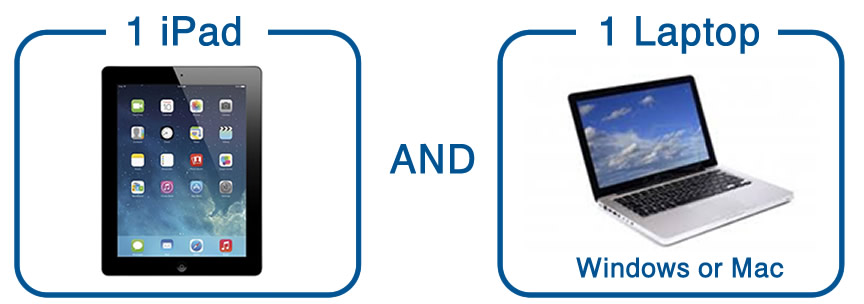
You will use devices for various purposes throughout your four years of medical school. Students are eligible for discounts from Apple, Dell and others. Check out Drexel IT's Computer Purchases page for options. View specific instructions here to get Drexel discounts from specific manufacturers.
In Phase 1 (year 1 and year 2) you will be using your iPad to take exams with Examplify for iPad from ExamSoft. In Phase 2 and 3 (year 3 and 4) your will be using your laptop to take exams with software from the NBME. The nature of the technology marketplace is that it changes rapidly. The requirements for iPad and laptop reflect the published specifications of third parties (ExamSoft, NBME) which may change at any time.
iPad
- Hardware Requirements: iPad 6+, iPad Air 3+, iPad Mini 5+, iPad Pro.
- Operating Systems: iPadOS 17, iPadOS 18 and iPadOS 26 (Only officially approved Apple versions of iPadOS are supported. We advise using the most current operating system.)
As of September 2025, iPadOS 26 is acceptable for Examplify for iPad,
- 500 MB of free space required to commence an exam.
- iPad must not be modified (e.g. Jailbroken).
- Internet connection for download, registration, exam download and upload.
The size of the iPad you use is a personal choice. The screen size of an iPad mini may not be ideal for taking exams.
The DrexelMed minimum requirement is only for the WiFi version but be aware that there are iPads that can use cellular phone service as well. These require a data plan, can be quite expensive and are NOT required. See an Apple comparison chart
Laptop
- Must be running Windows 11 or Mac OS 13 or higher. (We advise using the most current operating system. Windows 10 will not be supported after October 2025)
- 1 GHz processor or higher, Core i5 or equivalent processo
- 16 GB RAM memory
- 13" screen or larger (capable of 1024 x 768, 32 bit color as a minimum)
- Webcam and Microphone
- ASUS laptops with touchpad/touchscreen are not permitted for NBME testing in clincial years 3 and 4
See the Drexel University IT Specifications and Buyers' Guide for recommendations.
Wireless Internet
on Campus
Dragonfly3 is the wireless network to connect to on campus. There are a few wireless networks which you will see while on campus. Both the Philadelphia Queen Lane and West Reading campus have and use the same wireless networks. See the Computer Set-Up Checklist for more information about getting connected.
|